How to scrape any website with Python in 2026
A general /scrape workflow: static fetch by default, escalate to JS rendering and premium proxies only when needed, then parse with BeautifulSoup.
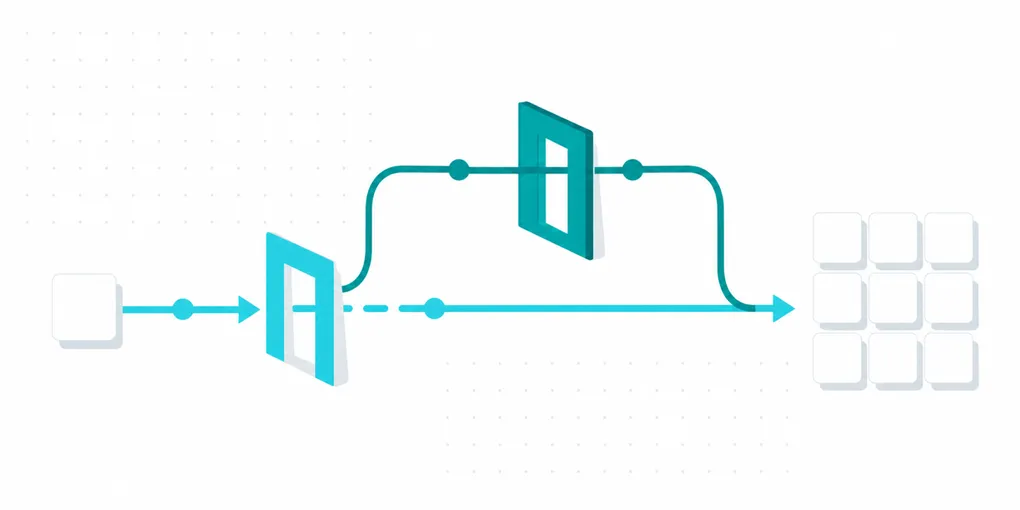
Most scraping guides are written for one target: Google, Amazon, a specific marketplace. This one is for the other case, a URL you don’t control and haven’t scraped before, where you need the HTML reliably and then have to figure out the parsing yourself.
The basic request
One endpoint, one required parameter:
import requests

API_KEY = "faf_live_..."  # your FastAF key

resp = requests.get(
    "https://api.fastaf.co/v1/scrape",
    params={"url": "https://example.com/product/123"},
    headers={"Authorization": f"Bearer {API_KEY}"},
    timeout=60,
)
resp.raise_for_status()
html = resp.text
The response body is the page itself, with its content type (HTML by default, markdown with formats=markdown), not a JSON wrapper.
By default this is a static fetch, no browser, no rendering, routed through infrastructure built to not get blocked doing it. It’s also the cheapest tier: 1 credit.
When do you need more than the default?
Escalate in order, only as far as the target actually requires:
- Static, 1 credit. Start here always. Works for server-rendered pages, most blogs, docs sites, and any page where the content you want is in the initial HTML response.
dynamic=true, 5 credits. The page builds its content with JavaScript after load, common with React/Vue/Svelte-driven sites and infinite-scroll listings. Our piece on JS rendering covers exactly how to tell which case you’re in before spending the extra credits.premium=true, 10 credits. The static fetch is getting blocked or served a degraded page, not because of missing JavaScript but because of IP-based defenses. Premium routes the request through higher-quality proxy infrastructure.- Both together, 25 credits. The target both renders client-side and defends aggressively against automated IPs. Reserve this tier for sites where you’ve confirmed you need both, not as a default “just in case” setting.
def scrape(url, dynamic=False, premium=False, wait=None):
    params = {"url": url}
    if dynamic:
        params["dynamic"] = "true"
    if premium:
        params["premium"] = "true"
    if wait:
        params["wait"] = wait
    resp = requests.get(
        "https://api.fastaf.co/v1/scrape",
        params=params,
        headers={"Authorization": f"Bearer {API_KEY}"},
        timeout=90,
    )
    resp.raise_for_status()
    return resp.text
wait (milliseconds) matters most on dynamic=true requests for pages that fire an API call after load and render the result a moment later; without it you can get the loading state instead of the content.
Extracting your data
This is the part that stays yours no matter which tier you use. /scrape gets you the same HTML a browser would render for that URL, reliably and without getting blocked. It does not know what a “price” or a “product title” looks like on your specific target, because every site marks that up differently. That’s a different job from /serp, /maps or /amazon, where we already know the page structure and hand you parsed fields; here, the fetch is solved, the parsing is on you:
from bs4 import BeautifulSoup

html = scrape("https://example.com/product/123")
soup = BeautifulSoup(html, "html.parser")

title = soup.select_one("h1.product-title")
price = soup.select_one("span.price")

print(title.get_text(strip=True) if title else None)
print(price.get_text(strip=True) if price else None)
Write your selectors against the target site the same way you would against HTML you fetched yourself. If that site redesigns, your selectors break, same as any scraper; what you’ve removed from the problem is getting blocked and needing a browser farm to fetch the page in the first place.
Common mistakes
Defaulting to dynamic=true for everything. It’s a 5x credit cost over static, and most pages don’t need it. Check first with the method in the JS rendering post rather than paying the premium by default.
Not setting wait on slow-loading dynamic pages. If content loads via a delayed API call, the default wait may capture the page before it’s ready. If fields are consistently coming back empty on dynamic=true, this is the first thing to check.
Treating every non-200 as a failed scrape. A target that answers 404 or 410 comes back as HTTP 422 target_unavailable and costs nothing. A login wall or a soft error page comes back as a normal 200 with that page in the body, so check html for what was actually returned.
Parsing before checking html is non-empty. A blocked or empty response passed straight into BeautifulSoup fails inside the parser instead of at the point where the real problem is visible. Check the response first.
Hardcoding selectors with no fallback. A single .select_one() that returns None on a redesign should be a signal you check for, not an exception that kills the whole batch.
The short version
Start static, at 1 credit. Escalate to dynamic=true only when you’ve confirmed the content is JavaScript-rendered, to premium=true only when you’re being blocked at the IP level, and to both only when a target genuinely needs it. The fetch is the part FastAF solves; parsing the result with BeautifulSoup, selectors and error handling for your specific target is still the part you write.