n8n web scraping and Google search: a workflow without code
Import one n8n workflow that loops over keywords, calls a Google search API, scrapes the top pages to markdown and writes rows to Google Sheets or a CSV.
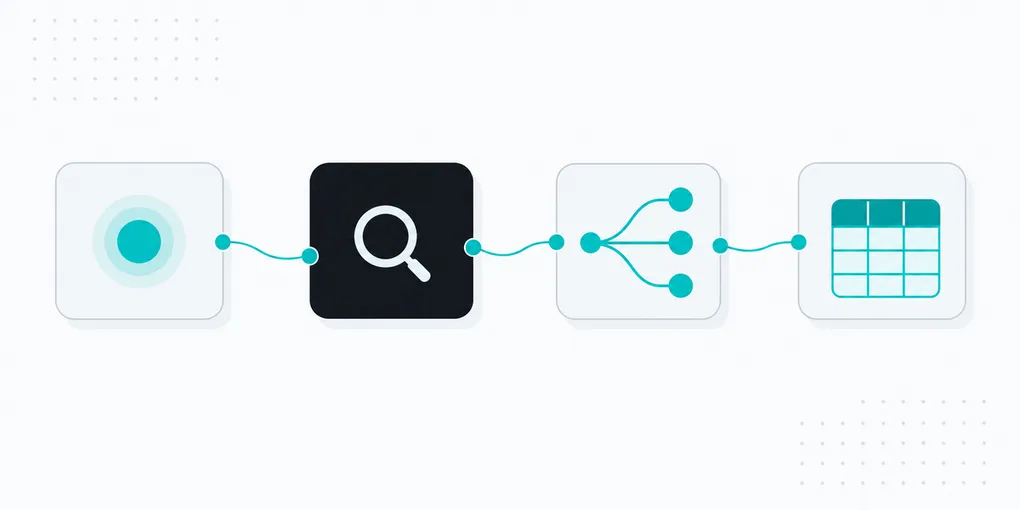
You can do n8n web scraping and Google search with two HTTP Request nodes and no code beyond a keyword list: one calls https://api.fastaf.co/v1/serp for each keyword, the other (optional) calls /v1/scrape for the top results and returns markdown. On 19 October 2026 the workflow below turned 3 keywords into 30 ranked rows in 10.9 seconds and, with scraping switched on, 8 pages of markdown, for 23 credits in total (about one cent at the Starter pack rate of $10 per 20,000 credits).
Paste the JSON from this post into n8n, attach a credential, press Execute. The nodes are listed in the table, the full file follows.
What does the n8n SERP workflow do?
| Node | Type | Job |
|---|---|---|
| Keywords | Code | Returns one item per keyword (swap for a Sheets or Airtable read) |
| Limit | Limit | Hard cap of 20 keywords per run, so 100 credits of searches at most |
| Loop over keywords | Loop Over Items, batch size 1 | Sends one keyword at a time, collects all rows on the done output |
| FastAF SERP | HTTP Request | GET /v1/serp?query=...&country=..., Bearer header, retry on fail |
| Split results | Split Out | Turns organic_results (10 per search) into one item each |
| Build rows | Edit Fields | Keeps keyword, position, title, link, snippet, date |
| Append to Google Sheet | Google Sheets | Disabled until you add Google credentials |
| Convert to CSV, Write CSV | Convert to File, Read/Write Files | The fallback if you have no Google credentials |
| Top 3 only, FastAF scrape, Page + markdown | Filter, HTTP Request, Edit Fields | Optional, disabled by default: markdown of the top 3 pages per keyword, YouTube skipped |
I ran this file in n8n 2.43.8 through the CLI (n8n execute), so the HTTP, loop, split, filter and CSV nodes really executed. I did not run the Google Sheets node: it needs Google OAuth credentials I do not have, so it ships disabled. It is n8n’s standard append operation with automatic column mapping.
What is the complete workflow JSON?
In n8n, create a workflow, press Ctrl/Cmd+V on the canvas with this on the clipboard (or use the menu, Import from File).
{
"name": "FastAF Google results to sheet",
"nodes": [
{"parameters":{},"id":"run-manually","name":"Run manually","type":"n8n-nodes-base.manualTrigger","typeVersion":1,"position":[0,200]},
{"parameters":{"jsCode":"const keywords = [\n  'n8n web scraping',\n  'google search api',\n  'serp api for ai agents',\n];\nreturn keywords.map((keyword) => ({ json: { keyword, country: 'us' } }));"},"id":"keywords","name":"Keywords","type":"n8n-nodes-base.code","typeVersion":2,"position":[220,200]},
{"parameters":{"maxItems":20},"id":"limit","name":"Limit","type":"n8n-nodes-base.limit","typeVersion":1,"position":[440,200]},
{"parameters":{"batchSize":1,"options":{}},"id":"loop-over-keywords","name":"Loop over keywords","type":"n8n-nodes-base.splitInBatches","typeVersion":3,"position":[660,200]},
{"parameters":{"url":"https://api.fastaf.co/v1/serp","authentication":"genericCredentialType","genericAuthType":"httpHeaderAuth","sendQuery":true,"queryParameters":{"parameters":[{"name":"q","value":"={{ $json.keyword }}"},{"name":"country","value":"={{ $json.country }}"}]},"options":{"timeout":60000}},"id":"fastaf-serp","name":"FastAF SERP","type":"n8n-nodes-base.httpRequest","typeVersion":4.2,"position":[880,320],"credentials":{"httpHeaderAuth":{"id":"fastaf-header-auth","name":"FastAF API key"}},"retryOnFail":true,"maxTries":5,"waitBetweenTries":3000},
{"parameters":{"fieldToSplitOut":"organic_results","include":"noOtherFields","options":{}},"id":"split-results","name":"Split results","type":"n8n-nodes-base.splitOut","typeVersion":1,"position":[1100,320]},
{"parameters":{"assignments":{"assignments":[{"id":"a1","name":"keyword","type":"string","value":"={{ $('Loop over keywords').item.json.keyword }}"},{"id":"a2","name":"position","type":"number","value":"={{ $json.rank }}"},{"id":"a3","name":"title","type":"string","value":"={{ $json.title }}"},{"id":"a4","name":"link","type":"string","value":"={{ $json.link }}"},{"id":"a5","name":"snippet","type":"string","value":"={{ $json.snippet || '' }}"},{"id":"a6","name":"checked_at","type":"string","value":"={{ $now.toISODate() }}"}]},"options":{}},"id":"build-rows","name":"Build rows","type":"n8n-nodes-base.set","typeVersion":3.4,"position":[1320,320]},
{"parameters":{"operation":"csv","options":{"fileName":"serp-results.csv"}},"id":"convert-to-csv","name":"Convert to CSV","type":"n8n-nodes-base.convertToFile","typeVersion":1.1,"position":[900,100]},
{"parameters":{"operation":"write","fileName":"/home/node/.n8n-files/serp-results.csv","options":{}},"id":"write-csv","name":"Write CSV","type":"n8n-nodes-base.readWriteFile","typeVersion":1,"position":[1120,100]},
{"parameters":{"operation":"append","documentId":{"__rl":true,"value":"YOUR_SPREADSHEET_ID","mode":"id"},"sheetName":{"__rl":true,"value":"Sheet1","mode":"name"},"columns":{"mappingMode":"autoMapInputData","value":{},"matchingColumns":[],"schema":[]},"options":{}},"id":"append-to-google-sheet","name":"Append to Google Sheet","type":"n8n-nodes-base.googleSheets","typeVersion":4.7,"position":[900,200],"disabled":true},
{"parameters":{"conditions":{"options":{"caseSensitive":true,"leftValue":"","typeValidation":"strict","version":2},"conditions":[{"id":"c1","leftValue":"={{ $json.position }}","rightValue":3,"operator":{"type":"number","operation":"lte"}},{"id":"c2","leftValue":"={{ $json.link }}","rightValue":"youtube.com","operator":{"type":"string","operation":"notContains"}}],"combinator":"and"},"options":{}},"id":"top-3-only","name":"Top 3 only","type":"n8n-nodes-base.filter","typeVersion":2.2,"position":[900,520]},
{"parameters":{"url":"https://api.fastaf.co/v1/scrape","authentication":"genericCredentialType","genericAuthType":"httpHeaderAuth","sendQuery":true,"queryParameters":{"parameters":[{"name":"url","value":"={{ $json.link }}"},{"name":"formats","value":"markdown"}]},"options":{"timeout":60000,"response":{"response":{"responseFormat":"text","outputPropertyName":"markdown"}}}},"id":"fastaf-scrape","name":"FastAF scrape","type":"n8n-nodes-base.httpRequest","typeVersion":4.2,"position":[1120,520],"credentials":{"httpHeaderAuth":{"id":"fastaf-header-auth","name":"FastAF API key"}},"retryOnFail":true,"maxTries":5,"waitBetweenTries":3000,"disabled":true},
{"parameters":{"assignments":{"assignments":[{"id":"b1","name":"keyword","type":"string","value":"={{ $('Top 3 only').item.json.keyword }}"},{"id":"b2","name":"link","type":"string","value":"={{ $('Top 3 only').item.json.link }}"},{"id":"b3","name":"markdown","type":"string","value":"={{ $json.markdown }}"}]},"options":{}},"id":"page-+-markdown","name":"Page + markdown","type":"n8n-nodes-base.set","typeVersion":3.4,"position":[1340,520],"disabled":true}
],
"connections": {
"Run manually": {"main":[[{"node":"Keywords","type":"main","index":0}]]},
"Keywords": {"main":[[{"node":"Limit","type":"main","index":0}]]},
"Limit": {"main":[[{"node":"Loop over keywords","type":"main","index":0}]]},
"Loop over keywords": {"main":[[{"node":"Convert to CSV","type":"main","index":0},{"node":"Append to Google Sheet","type":"main","index":0},{"node":"Top 3 only","type":"main","index":0}],[{"node":"FastAF SERP","type":"main","index":0}]]},
"FastAF SERP": {"main":[[{"node":"Split results","type":"main","index":0}]]},
"Split results": {"main":[[{"node":"Build rows","type":"main","index":0}]]},
"Build rows": {"main":[[{"node":"Loop over keywords","type":"main","index":0}]]},
"Convert to CSV": {"main":[[{"node":"Write CSV","type":"main","index":0}]]},
"Top 3 only": {"main":[[{"node":"FastAF scrape","type":"main","index":0}]]},
"FastAF scrape": {"main":[[{"node":"Page + markdown","type":"main","index":0}]]}
},
"settings": {"executionOrder":"v1"}
}
Then create a credential of type Header Auth, name FastAF API key, header name Authorization, value Bearer <your key> (a key comes with the free 500 credits). Open the two HTTP Request nodes and select that credential. To turn the scraping branch on, select Top 3 only, FastAF scrape and Page + markdown and press D.
Why loop over keywords instead of using pagination?
The HTTP Request node has a Pagination option, but it is built for APIs that return a next-page URL or take a page counter (n8n docs). A rank or research job is different: you have a list of keywords, and each needs one request. One search returns the first 10 organic results, which is what you want for a position check.
So the workflow uses Loop Over Items (docs) with batch size 1. It does two things you would otherwise get wrong. It keeps requests sequential, which matters on the Free pack, where concurrency is 1. And it lets you reference the keyword later with $('Loop over keywords').item.json.keyword, so every row can carry the keyword it came from.
The loop’s done output fires once, after the last keyword, with every row from Build rows. That is why Sheets, CSV and the scrape branch all hang off done: they run once on 30 items, not 3 times on 10. For deeper results, add a page query parameter and a second loop; the Google SERP API page lists the parameters, and the Python version shows the same job in code.
How do I handle 429 errors and cap the spend?
A 429 means a rate or concurrency limit was hit and carries a Retry-After header (docs). In n8n, open the HTTP Request node, Settings, and switch on Retry On Fail. The file sets Max Tries 5 and Wait Between Tries 3000 ms. n8n’s own source clamps tries to 2-5 and the wait to 0-5000 ms, so those are close to the ceiling, and the wait is fixed: n8n does not read Retry-After.
I checked it by making the first two requests of a run answer 429. n8n waited 3 seconds between tries, the third try succeeded and the node finished in 6.1 seconds. Failed requests are never charged, so retrying costs nothing.
Spending has three limits, from tightest to loosest:
- The
Limitnode: 20 keywords at 5 credits is 100 credits of searches per run. Scraping the top 3 adds up to 60 at 1 credit each. - The credit balance: when it is empty the API returns
402 insufficient_credits. The balance belongs to the account and every key draws from it, so it is a hard cap for the whole account. - For a 402, set On Error to “Continue (using error output)” (docs) so the run ends cleanly instead of failing half way.
What if I have no Google credentials?
Use the CSV branch. Convert to CSV builds the file from the 30 rows and Write CSV saves it. One catch I hit: n8n refuses to write outside its files folder and fails with “Access to the file is not allowed” (~/.n8n-files, which is /home/node/.n8n-files in the Docker image; the restriction is controlled by N8N_RESTRICT_FILE_ACCESS_TO, see the n8n docs). The path in the file already points there. The result on 19 October 2026:
keyword,position,title,link,snippet,checked_at
n8n web scraping,1,Scrape and store data from multiple website pages - n8n,https://n8n.io/workflows/1073-scrape-and-store-data-from-multiple-website-pages/,This workflow allows extracting data from multiple pages website...,2026-10-19
For Google Sheets, put your spreadsheet ID in the node, make sure row 1 holds the six column names, enable the node and delete the CSV branch if you do not need it.
What numbers did a real run produce?
Run on 19 October 2026, 3 keywords (n8n web scraping, google search api, serp api for ai agents), country us, scraping branch enabled:
| Measure | Result |
|---|---|
| Execution status | success, 10.9 s from start to stop |
| Search calls | 3, about 3 s each (8.9 s in the node) |
| Organic results returned | 10 per keyword, 30 rows |
| Pages scraped | 8 (top 3 per keyword, YouTube filtered out), 1.5 s for the batch |
| Markdown size | 37 to 26,313 characters per page |
| Credits | 3 x 5 + 8 x 1 = 23 |
A single confirmation call to the production API returned 200 in 4.4 seconds with X-FastAF-Credits-Used: 5. Latency of live search varies, so treat 3 to 4 seconds per keyword as the planning number: 100 keywords is about 5 minutes in a sequential loop.
Two scraped pages, both Reddit threads, came back as a single 37-character line (a “Skip to main content” link). Public pages do not always render useful content, so check the length of markdown before passing it to an LLM. The rendering options are in the JavaScript rendering post.
How is this different from a Python script?
The logic is the same as in monitoring keyword rankings with Python; n8n adds a visual editor, a scheduler (swap Run manually for a Schedule Trigger) and ready-made connectors. If you need rank history and diffs, a database and a script are still easier to test. If the output is a spreadsheet or a Slack message, n8n is shorter.
The short version
- Two HTTP Request nodes against
https://api.fastaf.co/v1do both jobs:/serpat 5 credits,/scrapeat 1 credit. - Loop Over Items with batch size 1 beats pagination for keyword lists; read the results from the
doneoutput. - Retry On Fail (5 tries, 3 s) absorbs 429s; the Limit node and the account balance cap the spend.
- Verified on 19 October 2026: 3 keywords, 30 rows, 8 pages, 23 credits, 10.9 s. Not tested: the Google Sheets node.
Get a free key (500 credits, no card), import the workflow, and see the rows in your own sheet. Parameters are in the docs.